 StudyCrest
Notes that check every step
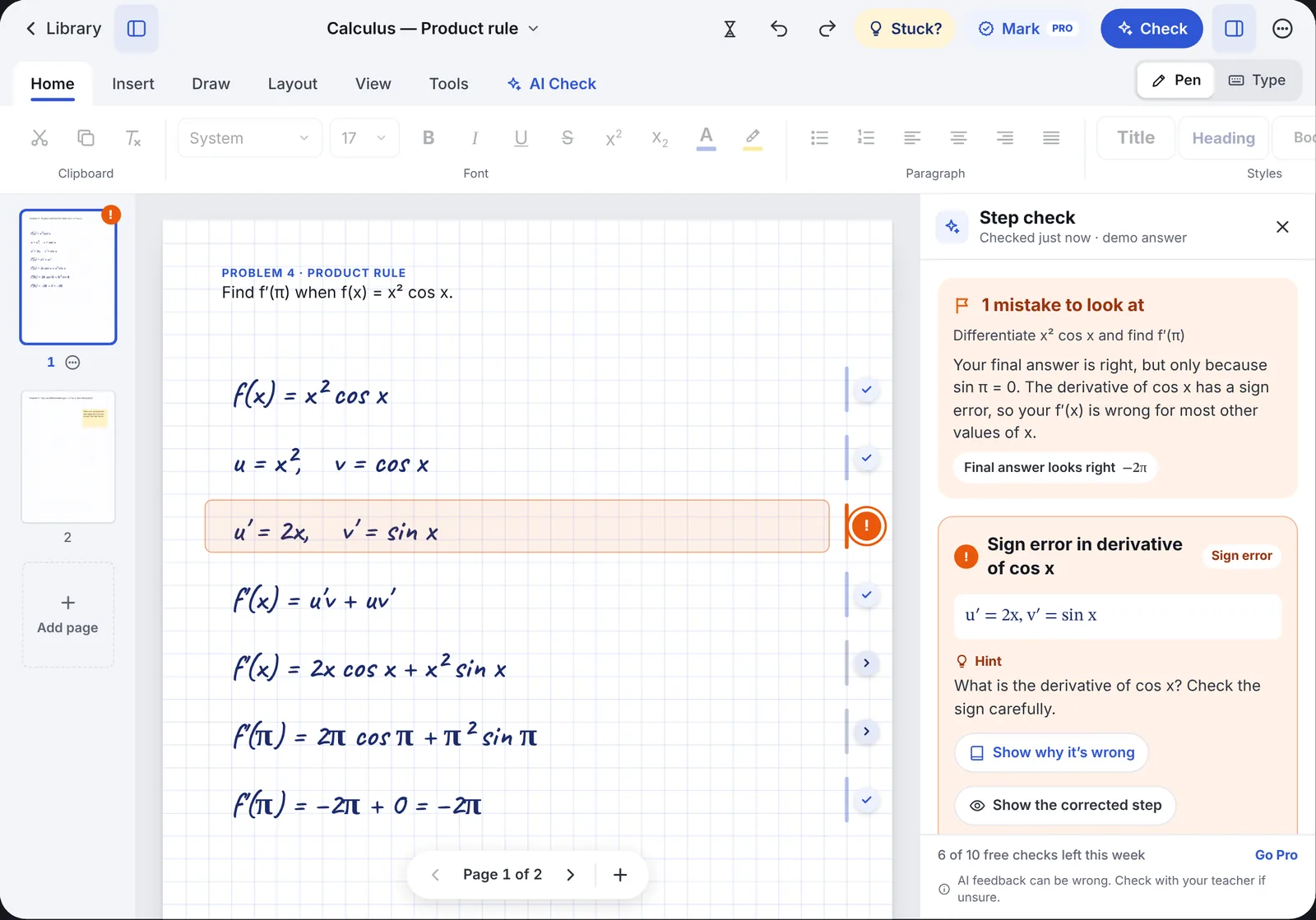
Write your working by hand or type it. StudyCrest checks each line and shows you where a mistake starts, so you fix the step and not just the answer.
Coming soon to the App StoreFor iPad, iPhone and Mac. Free to start, with 10 AI checks a week.
- f(x) = x² cos x
- u = x², v = cos x
- u′ = 2x, v′ = sin xSign error starts here. The derivative of cos x is −sin x.
- f′(x) = 2x cos x + x² sin x
Practise the test before you sit it
Add your test notice and a past paper. StudyCrest writes a practice test with the same number of questions and marks, lets you answer by tapping, typing or writing with Apple Pencil, then marks it and shows what to fix and what to study.
Test Predictor is part of StudyCrest Pro.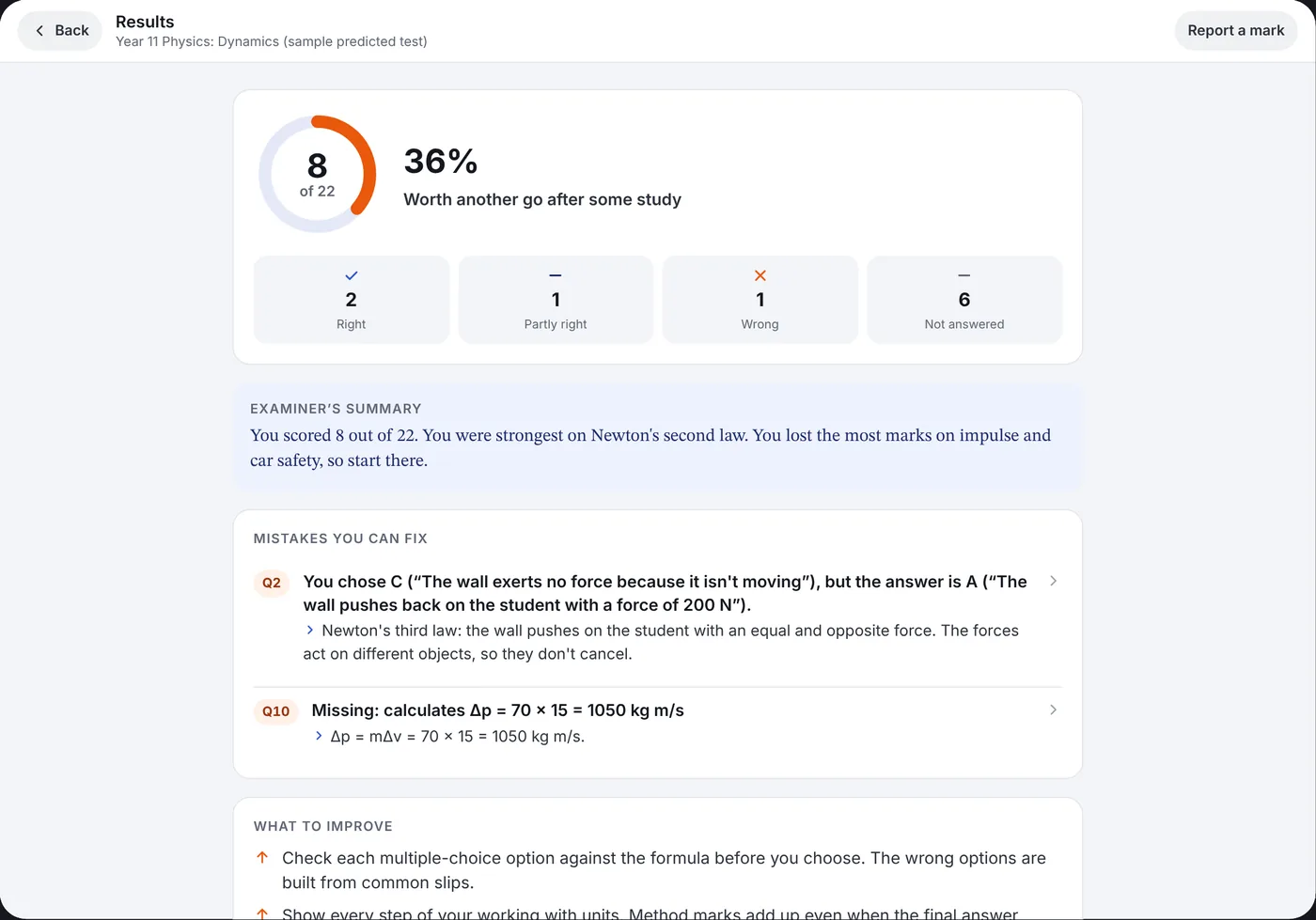
Every test and homework in one place
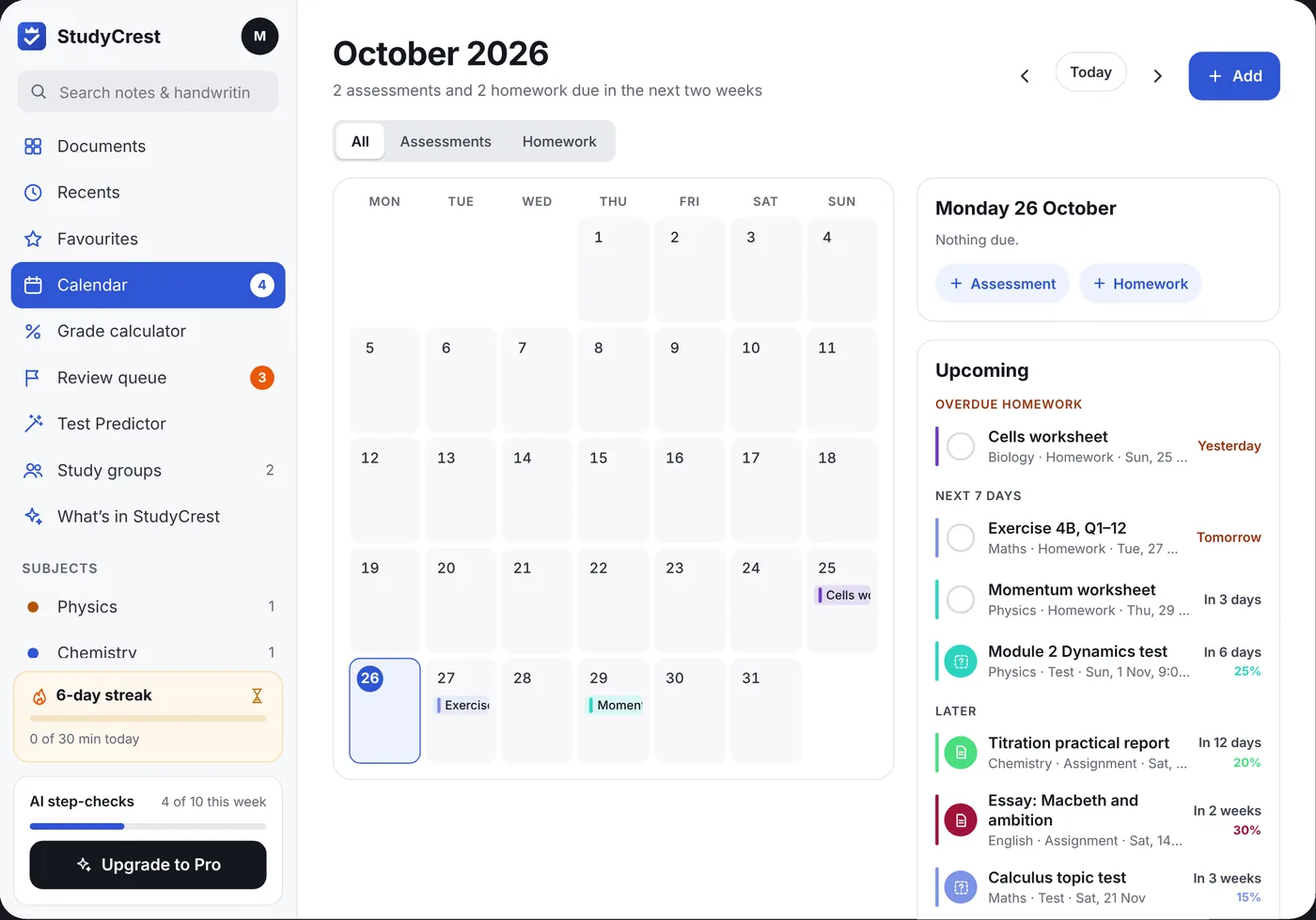
Put in your assessments and homework. They show on a calendar in each subject's colour, with reminders before they're due and a tick for homework that's done.
Know the mark you need
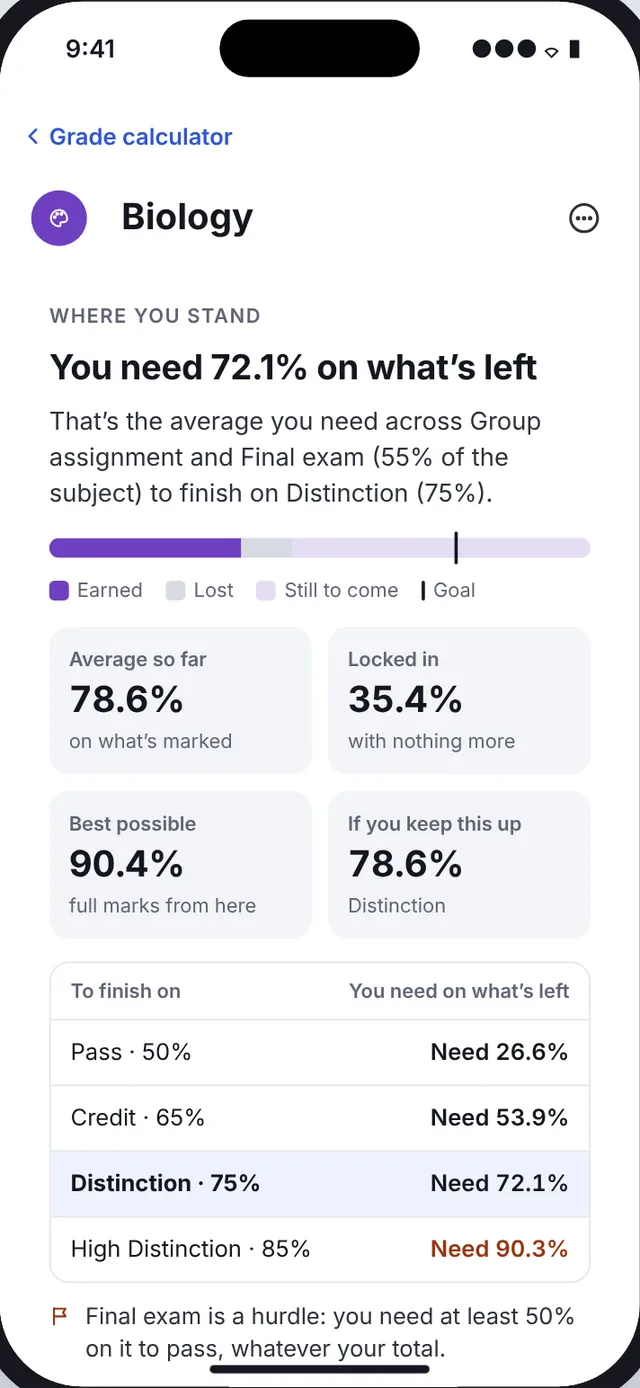
Enter what each assessment is worth and your marks so far. The grade calculator shows what you need on the rest to pass or reach your goal, for every grade, including hurdles.
Everything else you'd expect
- Typed documentsReal pages with headings, footnotes and citations, and feedback on your essay paragraph by paragraph.
- Paper for every subjectGrid, lined and essay paper, plus templates for source analysis and case studies.
- Study groupsShare notebooks and practice tests with classmates using an invite code. No chat and no public profiles.
- Study timer and streaksSet a goal, flip the hourglass and keep your streak going.
- Apple PencilSqueeze for your tools, double-tap to switch, and hover to preview.
- On all your devicesYour notes sync between iPad, iPhone and Mac through your own iCloud.
Your notes stay yours
Notebooks, your calendar and your grades live on your devices and in your own iCloud. Only the work you choose to check is sent for AI feedback, and it isn't used to train AI models.
No ads, no tracking, and StudyCrest is for students aged 13 and over. Read the privacy policy.